
Track your kms in a few simple steps...
Linking your fitness app is easiest done on your phone so head to donate.malaghan.org.nz/event/go-the-distance/home on your mobile browser
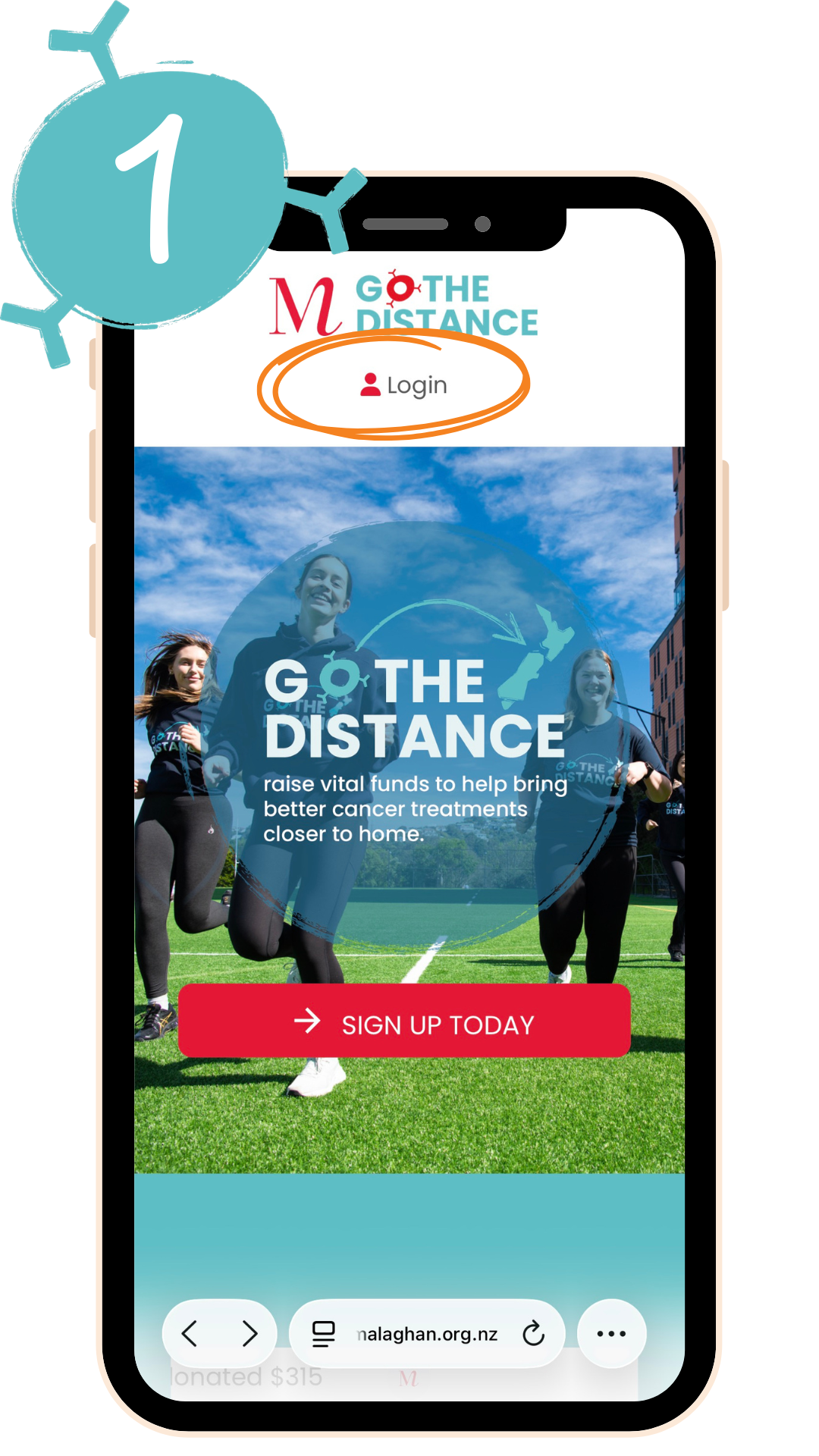
1. Log in to your profile by going to Login (at the top of your screen) and entering your details.
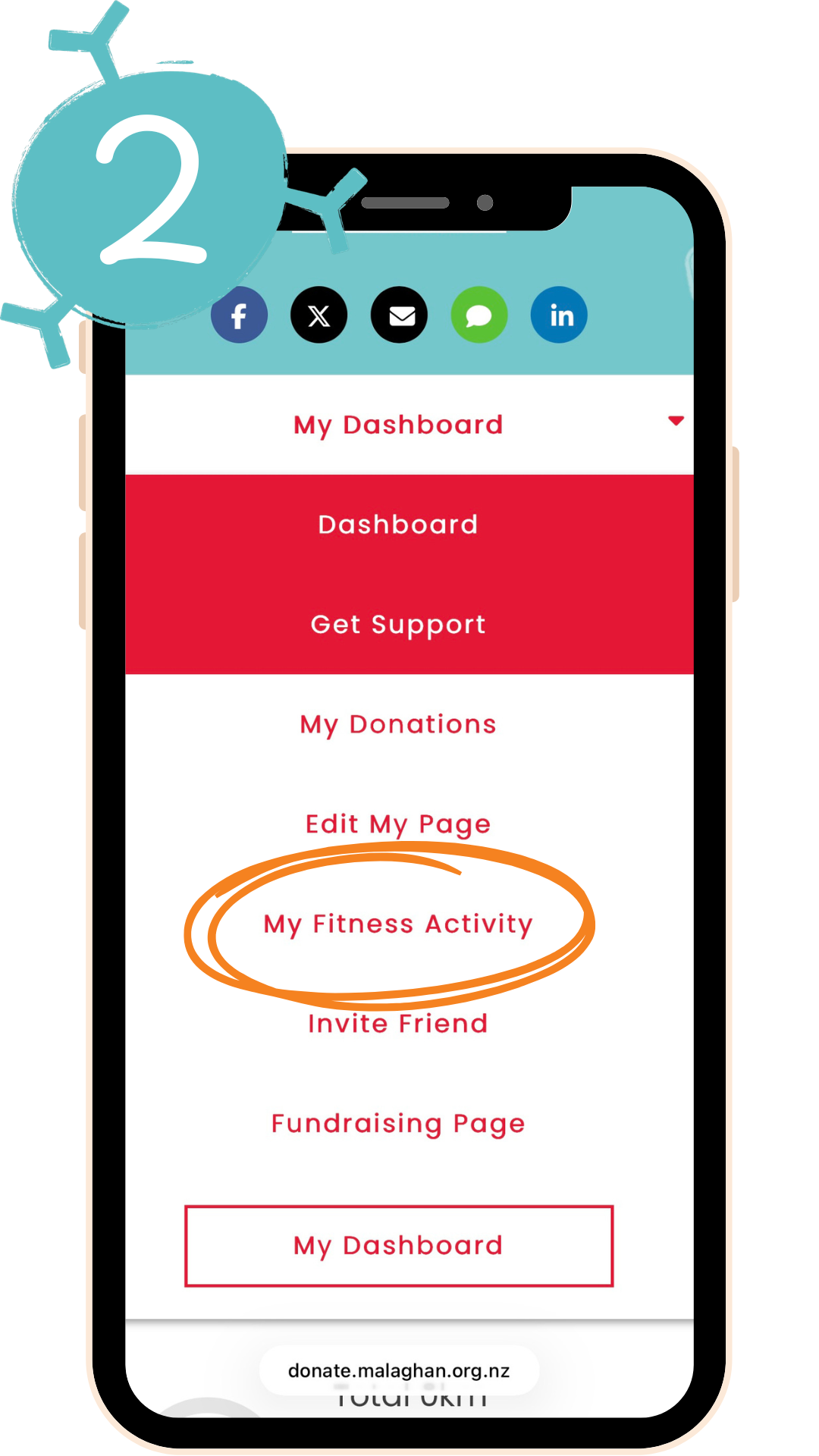
2. Once you’ve logged into your page, go to “My Dashboard” at the top of your screen and select “My Fitness Activity” from the dropdown menu.
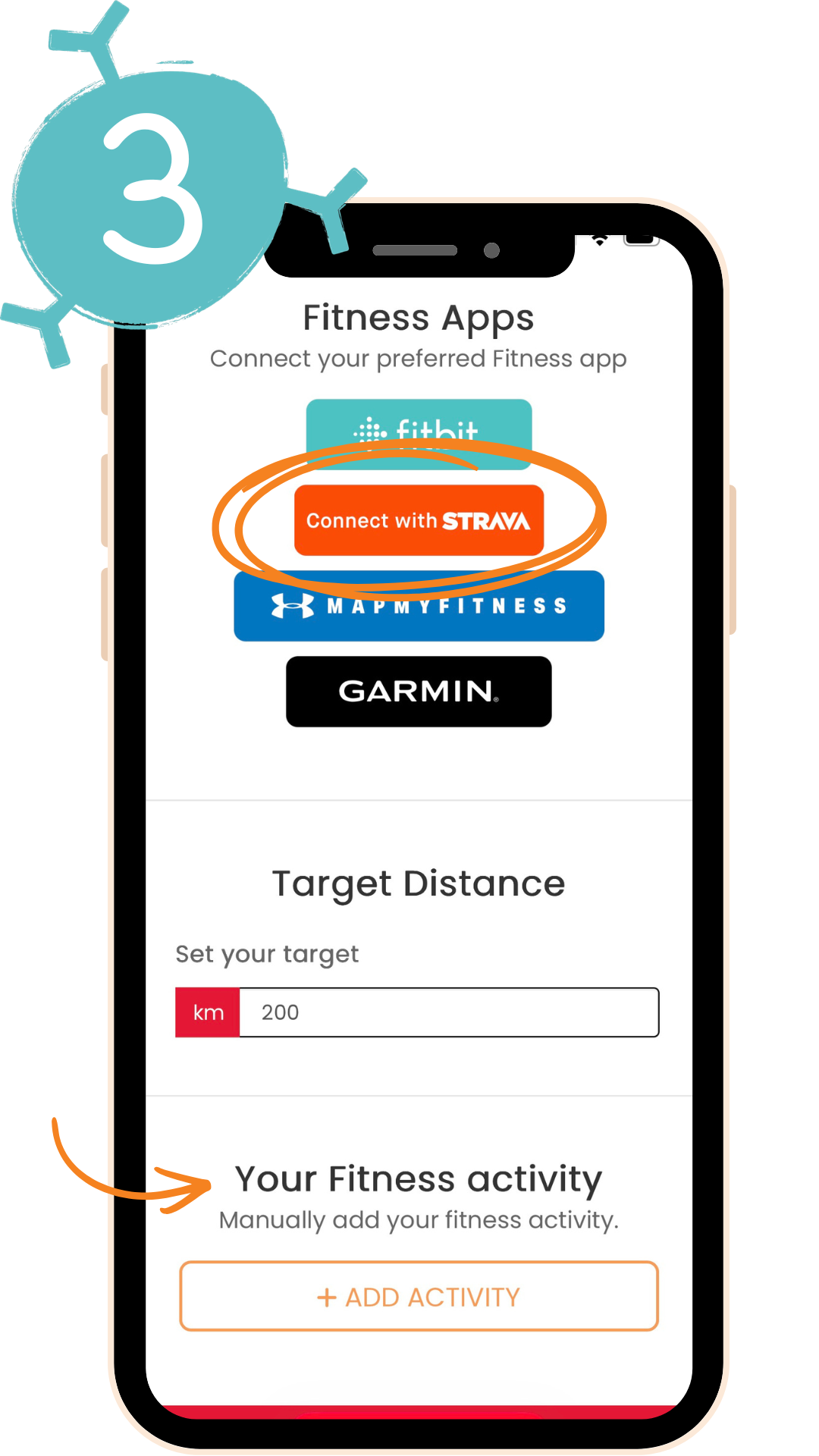
3. Click on your preferred fitness app and login to your fitness app if you haven’t already to connect.
If you don't have a fitness app, forget to connect or miss a day, you can also manually update any activity by adding your details in the “Add Activity” section at the bottom of the page.
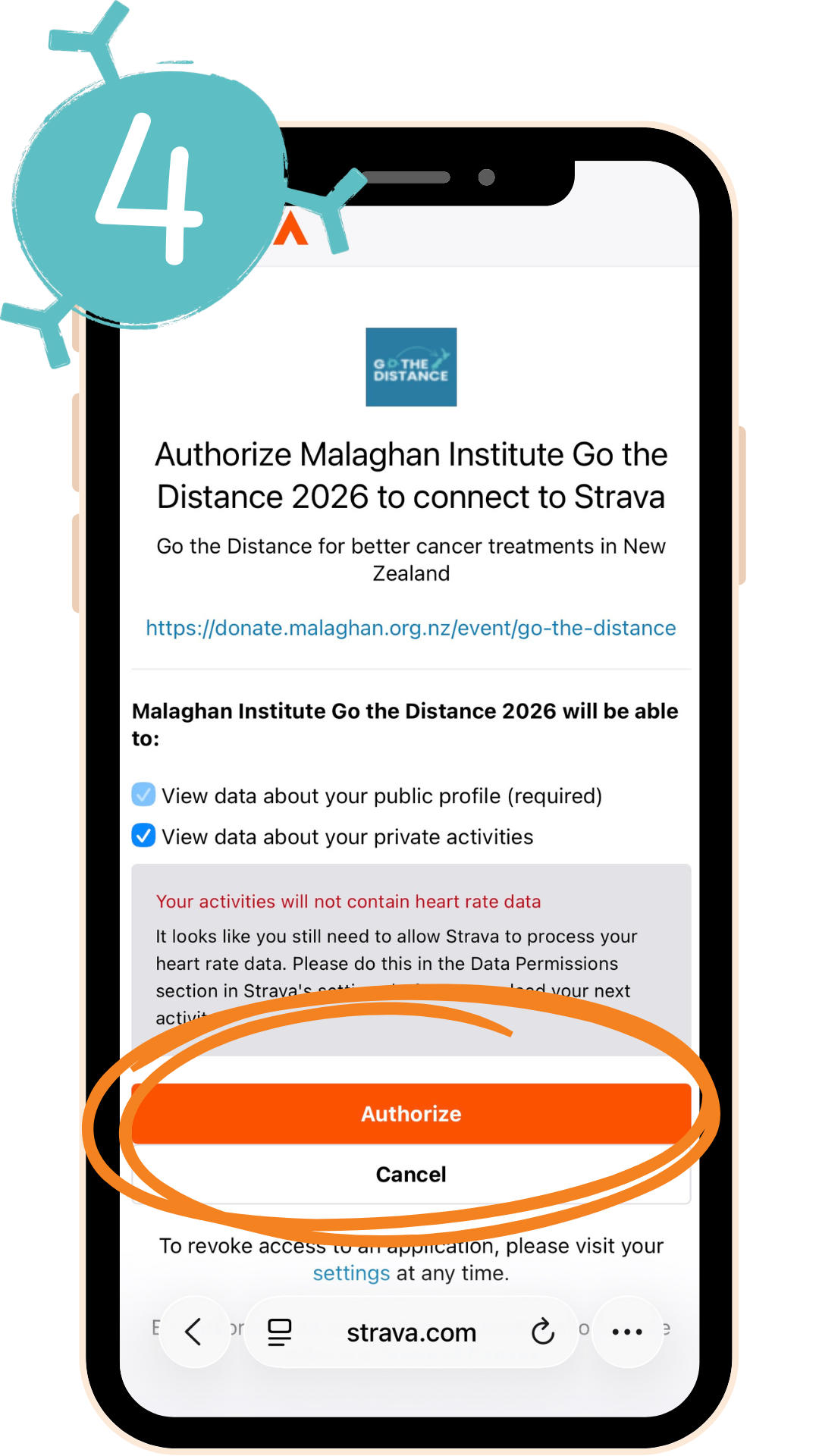
4. Logging in to your fitness app will take you to the app’s website where it will ask if you want to “Authorise Malaghan Institute Go the Distance 2026 to connect to [fitness app]”.
Tick the relevant boxes, click “Authorise” and you’re all set to Go the Distance!
Your activities will now show up on your dashboard as you complete them!
Note: Please allow up to 24 hours for activities to appear on your dashboard


